

When you receive your Nauti-Control Wireless Controller, either the ST or N2K version, there are a few settings that should be configured before first use. The easiest way to do this is through the built-in Wi-Fi web interface.
Wi-Fi Web Interface
The controller includes a built-in web interface for configuration and setup. Connect your phone, tablet, or computer to the Nauti-Control Wi-Fi network using the default password: 123456789.
Once connected, the first boot setup screen shown below will appear automatically.
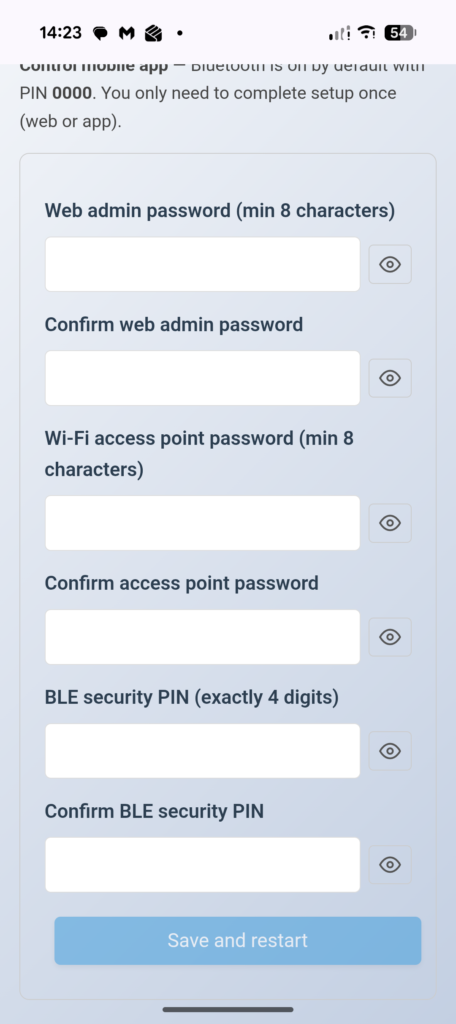
Enter your preferred security settings. The Web Admin Password is used to access the web interface and setup pages. The Wi-Fi AP Password is used when connecting to the Nauti-Control Wi-Fi network. The BLE Password is used by the mobile app to securely receive information from the controller.
After changing the Wi-Fi AP password, you may need to select Forget Network on your phone or tablet before reconnecting. Your device may have saved the original default password and may otherwise fail to reconnect.
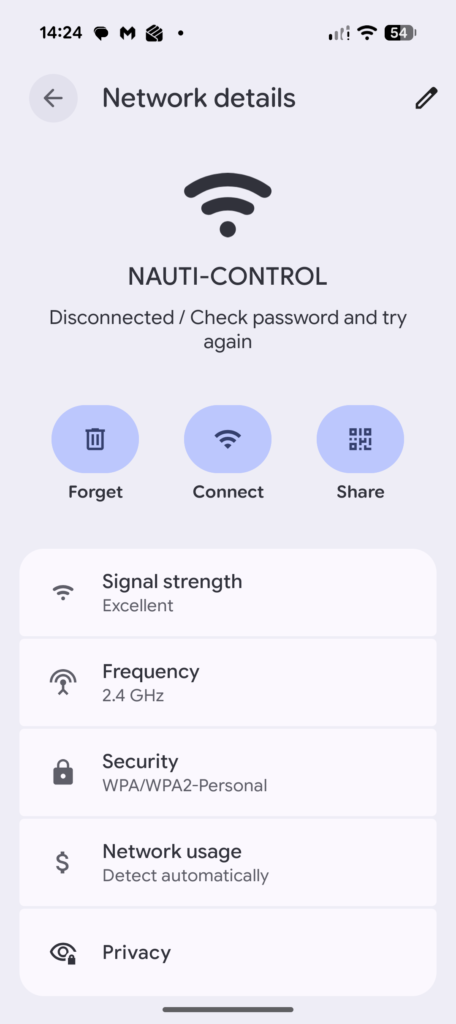
The controller will reboot automatically after saving the settings. Once reconnected, open http://192.168.1.1 in your web browser. You will now be prompted for the Web Admin Password created during the initial setup.
If you have upgraded firmware, or need to pair additional remotes, the latest firmware supports multiple remotes with separate button mappings for each remote.
Go to the Setup page, scroll down to the Remotes section, and click Add Remote.
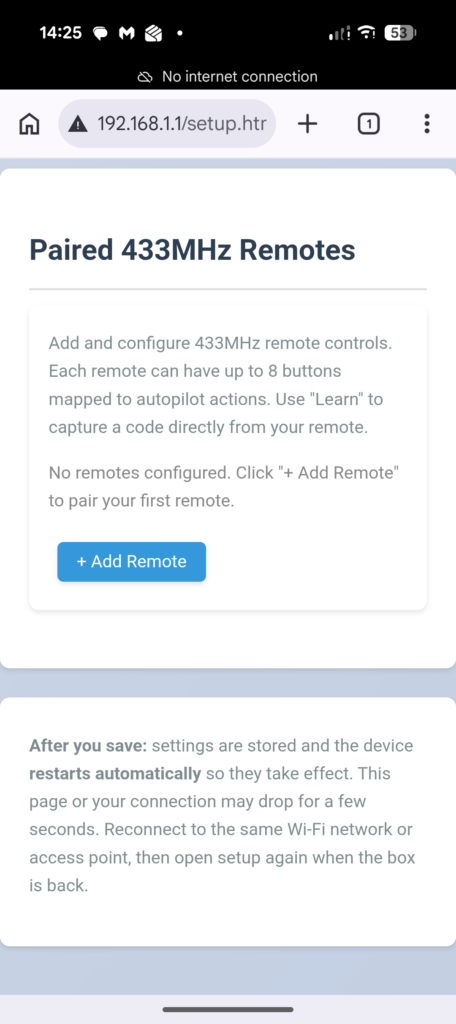
You will now see up to eight available button mappings for the selected remote. You do not need to configure all eight buttons, only the buttons available on your remote.
To learn a button, click the Learn button beside the required function, then press the corresponding button on your remote. The button code will be detected and entered automatically.
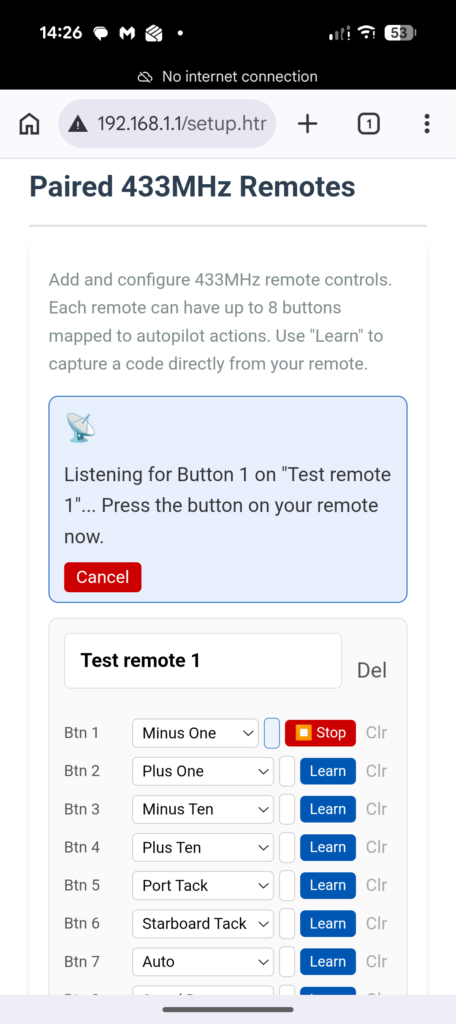
Once all required buttons have been learned, scroll to the bottom of the page and click Save. The controller will reboot automatically. After the reboot completes, your remote buttons will be ready for use.