
Pairing Additional Remotes Using the App
If you are upgrading from an older firmware version, or need to pair additional remotes such as the yellow 6-button or 8-button remote, this can be done from the device settings.
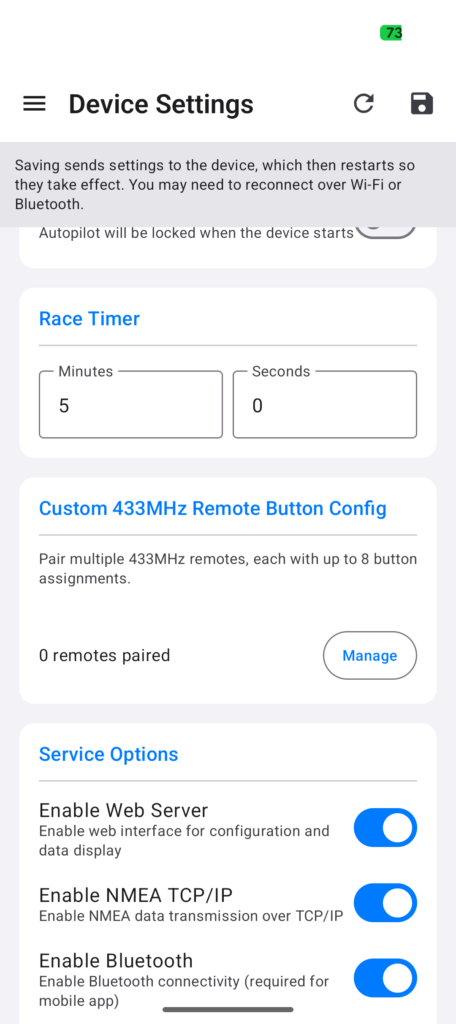
Open the burger menu, go to the device settings, then scroll down until you see Paired Remotes and click Manage.
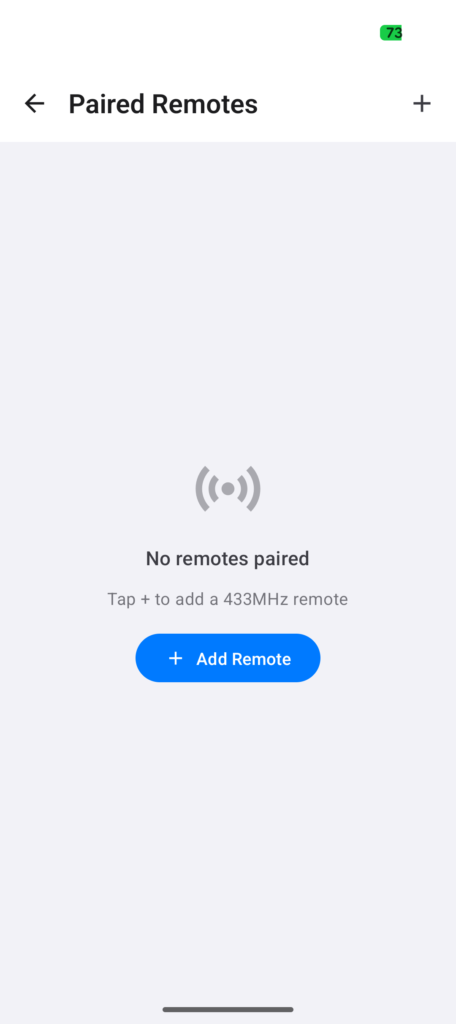
Click Add Remote or the + button to add a new remote.
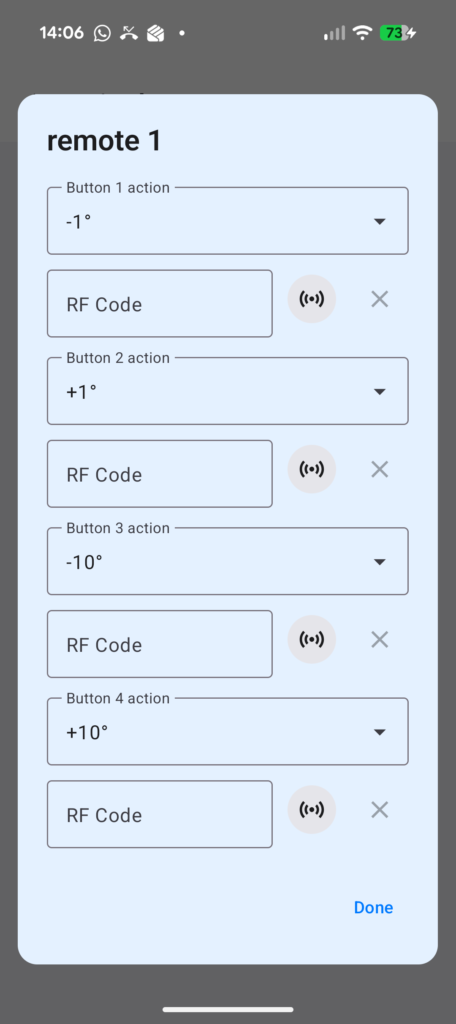
You can now record the button codes from your remote. Click Learn beside the required button function, then press the matching button on your remote. Repeat this for each button you want to use.
When all required buttons have been learned, return to the main settings screen and click Save. The settings will be sent to the controller and it will reboot automatically. After the reboot, your new remote will be paired and ready to use.
Pairing Additional Remotes Using the Web Interface
If you have upgraded the firmware, or need to pair additional remotes, the latest firmware supports multiple remotes with separate button mappings for each remote.
Go to the Setup page, scroll down to the Remotes section, and click Add Remote.
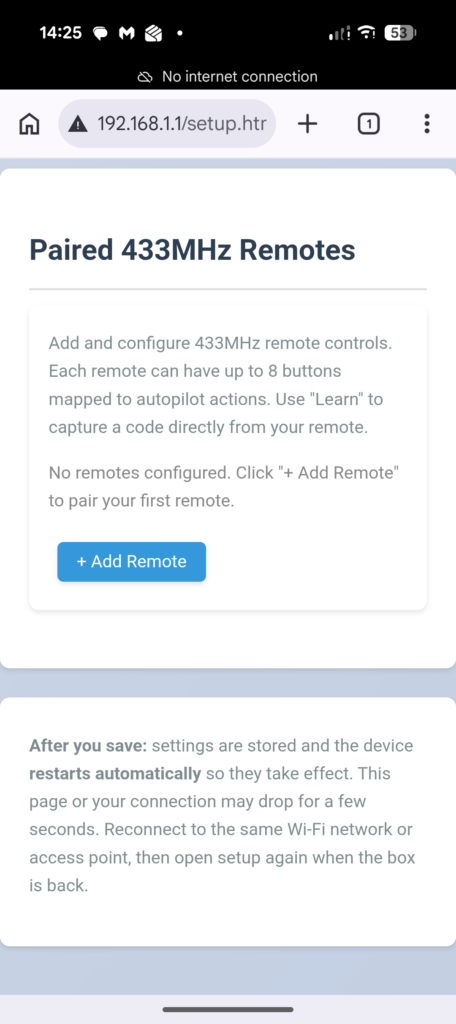
You will now see up to eight available button mappings for the selected remote. You do not need to configure all eight buttons, only the buttons available on your remote.
To learn a button, click the Learn button beside the required function, then press the corresponding button on your remote. The button code will be detected and entered automatically.
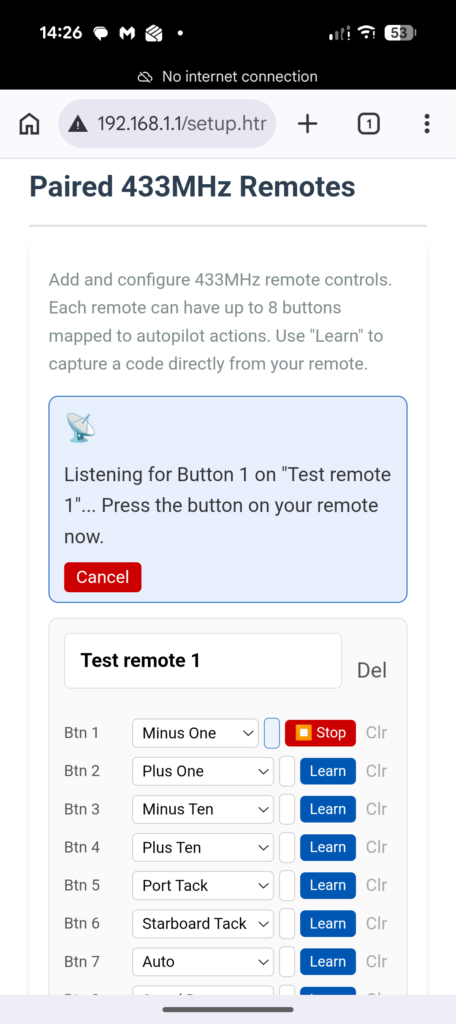
Once all required buttons have been learned, scroll to the bottom of the page and click Save. The controller will reboot automatically. After the reboot completes, your remote buttons will be ready for use.
Safety Warning
Test each remote button code , there is a chance that the learn can pick up stray 433mhz codes during pairing that can cause unexpected results .

Leave a Reply
You must be logged in to post a comment.