
Nauti-Control v3.1.0 Released
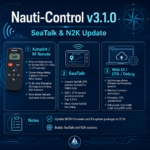
Nauti-Control firmware version 3.1.0 is now available for both SeaTalk and N2K controllers. This release improves RF remote steering, SeaTalk data handling, OTA updates and stability under heavy network traffic.
What’s Changed
Autopilot / RF Remote
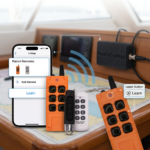
- Press-and-hold steering on the RF remote for the Simrad HR22. The +1 and -1 commands continue while the button is held, while +10 and -10 remain fixed course-change steps.
- Course-change timing now matches the real Simrad HR22 remote more closely.
- Fixed an issue that could cause older Raymarine S3 course computers to stick after an Autotack.
- Improved reliability for held buttons and rapid repeated presses of the same RF remote button.
SeaTalk
- Inbound SeaTalk GPS position data is now decoded and made available as NMEA GGA.
- SOG and STW values now display decimal precision again, for example 4.3 kn instead of 4.0 kn.
- Improved SeaTalk bus timing and reliability.
Web UI / OTA / Debug
- The Update page now displays both the firmware and filesystem versions.
- A warning is shown when the firmware and filesystem versions do not match.
- Fixed filesystem OTA uploads.
- Improved Debug page stability under heavy N2K traffic.
How to Update
Choose the update method that matches the firmware version currently installed on your controller.
Currently Below Firmware V3.0 — USB Web Flasher Required
OTA updating is not available on older firmware versions. Controllers running firmware below V3.0 must first be updated over USB using the Nauti-Control Firmware Flasher.
- Read the Nauti-Control Firmware Flasher guide.
- Open the Nauti-Control Firmware Flasher using Google Chrome.
- Connect the controller using a USB data cable.
- Select and flash the correct complete image for your controller: SeaTalk or N2K.
After updating to V3.0 or newer, future firmware and filesystem updates can be installed using the OTA method.
Currently on Firmware V3.0 or Newer — OTA Update
Controllers already running firmware V3.0 or newer can be updated over Wi-Fi from the controller’s web interface.
Important: Update both the firmware and filesystem packages so that both versions remain in sync.
- Connect your phone, tablet or computer to the Nauti-Control Wi-Fi network. You can also connect through your boat network if the controller has joined it.
- Open the controller web interface in a browser. When connected directly to the controller access point, this is normally http://192.168.1.1. When using your boat network, open the IP address assigned to the controller.
- Open the Update page.
- Upload the firmware file for your controller variant.
- Wait for the firmware update to complete and for the controller to restart.
- Reconnect to the controller and return to the Update page.
- Upload the filesystem-v3.1.0.bin file.
- Wait for the filesystem update to complete.
- Confirm that both the firmware and filesystem versions show 3.1.0 and that no version mismatch warning is displayed.
Firmware Downloads
Important Notes
- Always update both the firmware and filesystem to version 3.1.0.
- Firmware builds are available for both SeaTalk and N2K controller variants.
- Do not install the SeaTalk firmware on an N2K controller or the N2K firmware on a SeaTalk controller.
- After an OTA firmware update, allow the controller to restart fully before reconnecting and uploading the filesystem package.
Leave a Reply
You must be logged in to post a comment.