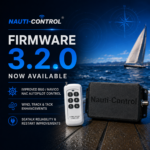
Nauti-Control firmware v3.3 is available for both SeaTalk and N2K controllers.
This release comes down to one idea: an instrument reading should either be true or absent. Alongside it come safer Tack and Gybe controls, smoother Bluetooth, and support for Garmin Reactor autopilots.
Instrument Data You Can Trust
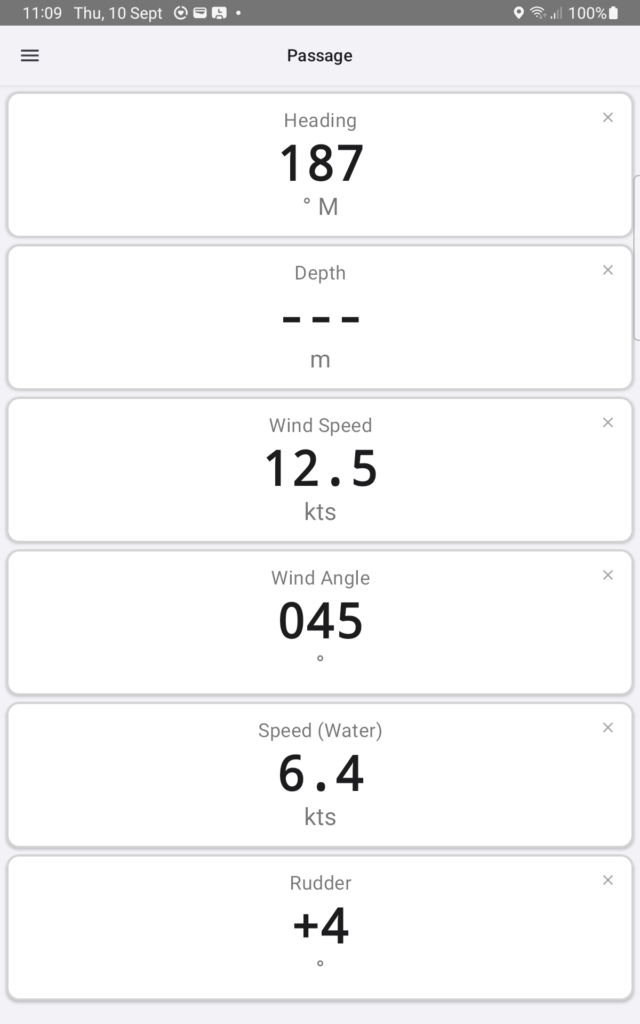
Before v3.3, a value that stopped arriving could sit frozen on screen, or arrive as a zero that looked like a real reading. Now every field has its own five-second freshness window. If nothing has arrived, the app shows — instead of a number.
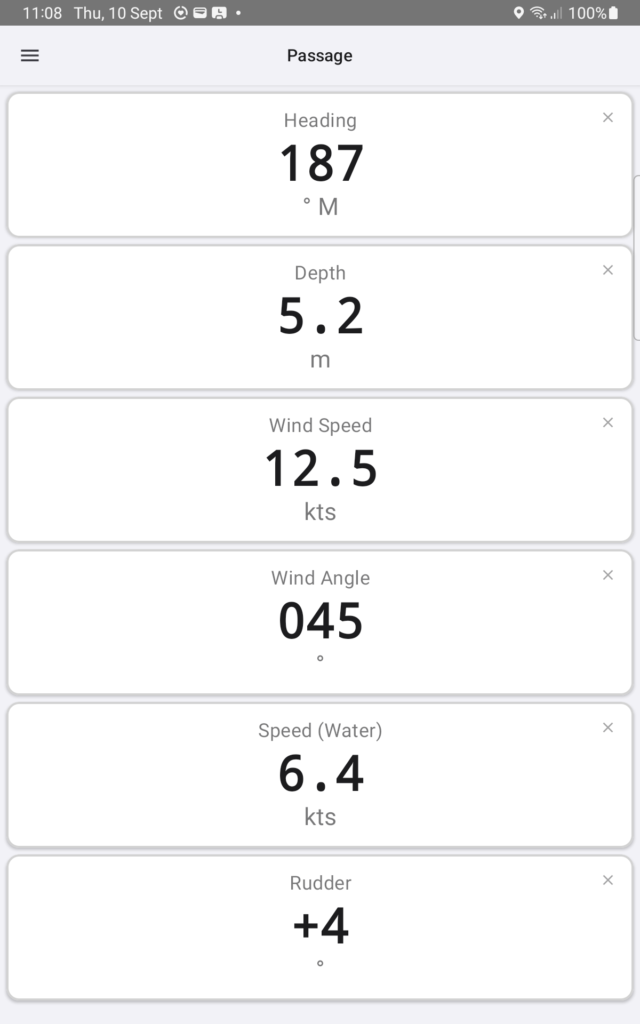
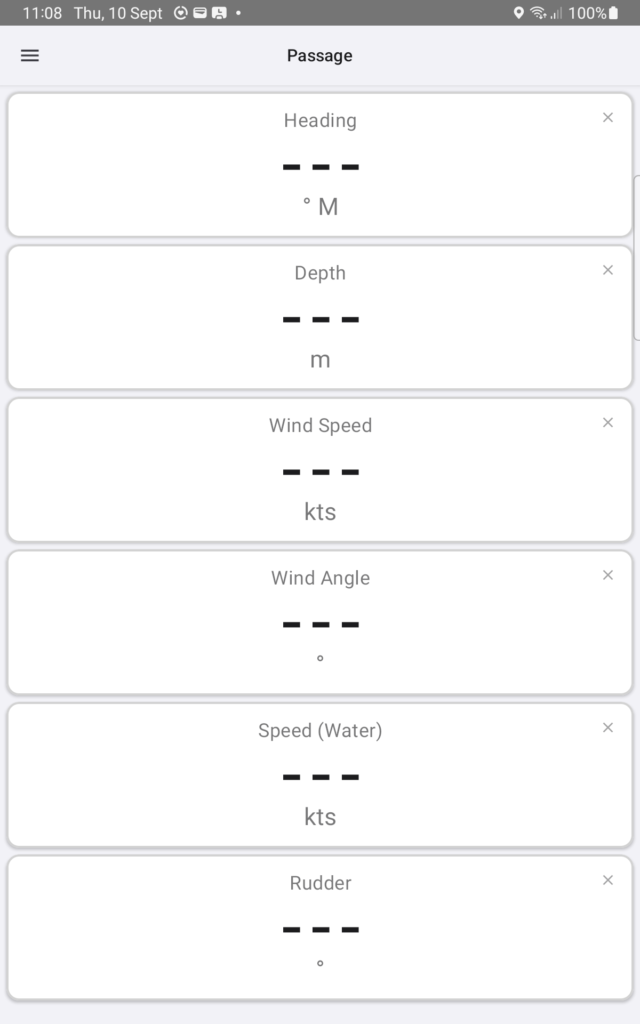
What the apps show, and where it comes from:
- Magnetic and true heading kept separate, and labelled, rather than blurred into one figure.
- Depth below the transducer or below the keel — your choice.
- Rudder angle, carried across SeaTalk, NMEA 2000, NMEA 0183, NKE, Bluetooth and the web page alike.
- Improved true wind, and improved boat GPS position through Nauti-Control.
- A Simrad autopilot reporting wind as “NA” is filtered out rather than drawn as a number.
- An invalid SeaTalk depth is treated as no reading at all.
Depth Below the Keel
Set a keel offset on the controller and the apps can show the water under your keel instead of under the transducer. With no offset configured, the app shows — rather than guessing — the same rule as everywhere else in this release.
Smoother Instrument Updates
The apps receive instrument data from the controller more efficiently, which means smoother updates on phones and watches and less Bluetooth traffic for the same information. Existing V3 apps and controllers stay compatible, so there is no need to update every device at once.
Safer Tack and Gybe
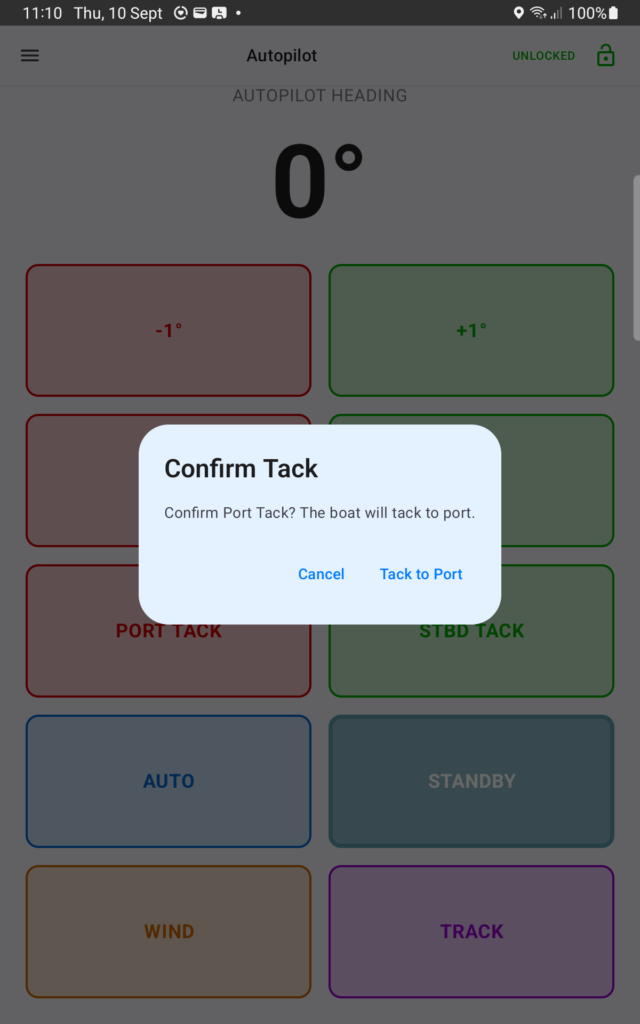
Tack and Gybe are one tap away from a real manoeuvre, so v3.3 puts a gate in front of them.
- Phone and watch apps ask you to confirm a Tack or Gybe.
- The Tack controls can be hidden entirely if you never use them.
- On 433 MHz RF remotes, Tack must now be held for about two seconds — a quick accidental press does nothing.
- Autopilot Lock continues to block Tack commands while the controls are locked.
Garmin Reactor Support
v3.3 adds support for Garmin Reactor autopilots through the Nauti-Control N2K Wireless controller. Reactor systems are normally driven from a Garmin GHC head unit or a compatible chartplotter; with v3.3, the same pilot can also be controlled from Nauti-Control’s phone and watch apps and from a 433 MHz remote.
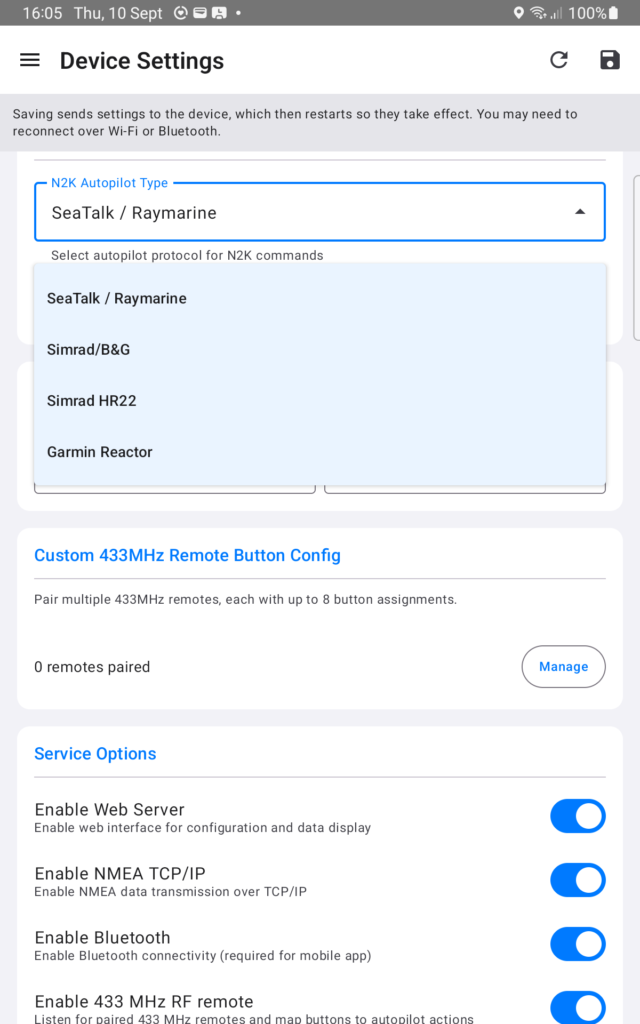
Garmin is selected as the autopilot type in the controller’s device settings, alongside the existing SeaTalk / Raymarine, Simrad / B&G and Simrad HR22 options. Treat as BETA.
Improved B&G / Navico Support
Wind, Track, Tack and Gybe controls have been updated to better match the commands compatible B&G and Navico autopilots expect.
Updating Your Controller
Choose the update method that matches the firmware version currently installed on your controller.
Currently Below Firmware V3.0 — USB Web Flasher Required
OTA updating is not available on older firmware versions. Controllers running firmware below V3.0 must first be updated over USB using the Nauti-Control Firmware Flasher.
- Open the Nauti-Control Firmware Flasher using Google Chrome.
- Connect the controller to your computer using a USB data cable.
- Select and flash the correct firmware for your controller type.
After updating to V3.0 or newer, future firmware and filesystem updates can be installed using the Wi-Fi OTA method.
Currently on Firmware V3.0 or Newer — OTA Update
Controllers already running firmware V3.0 or newer can be updated over Wi-Fi from the controller’s web interface.
- Connect your phone, tablet or computer to the Nauti-Control Wi-Fi network.
- Open the controller web interface in your browser. When connected directly to the controller this is normally 192.168.1.1.
- Open the Update page.
- Upload the correct firmware file for your controller.
- Wait for the update to complete and for the controller to restart.
- Return to the Update page and upload the filesystem file.
- Allow the controller to restart again.
For this release, please update both the firmware and the filesystem.
Firmware Files
- N2K Wireless: firmware-v3.3.7-n2k.bin
- ST Wireless: firmware-v3.3.7-seatalk.bin
- Filesystem: filesystem-v3.3.7.bin
- Make sure you install the correct firmware for your controller type.
- Do not install SeaTalk firmware on an N2K controller, or N2K firmware on a SeaTalk controller.
- Install both the firmware and the filesystem files.
- After updating, the controller’s Update / Version page should show both firmware and filesystem on the current version.
- Your existing V3 apps and controller remain compatible even if you do not update everything at the same time.
v3.3 gives Nauti-Control more trustworthy instruments, safer autopilot controls, smoother Bluetooth operation and wider autopilot support — while remaining compatible with existing V3 controllers and apps.



Leave a Reply
You must be logged in to post a comment.